The multi-function copiers, located in the Faculty Areas at both buildings, have been configured so that folks can scan documents directly to their e-mail. The scans will show up in e-mail as an attachment.
Please follow these steps to get a document scanned and e-mailed.
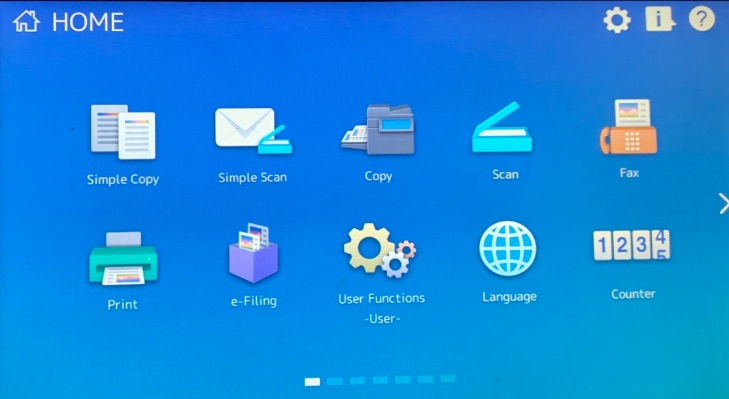
Place the item you wish to scan in the copier and go to the Home Screen.
Select the Simple Scan button.
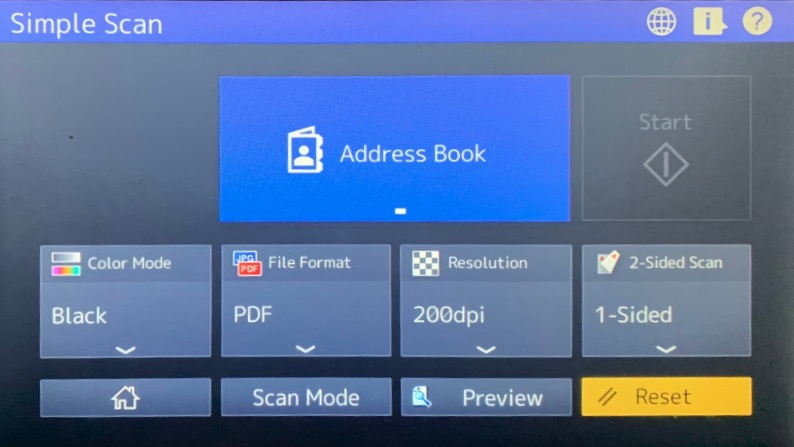
Select Address Book button.
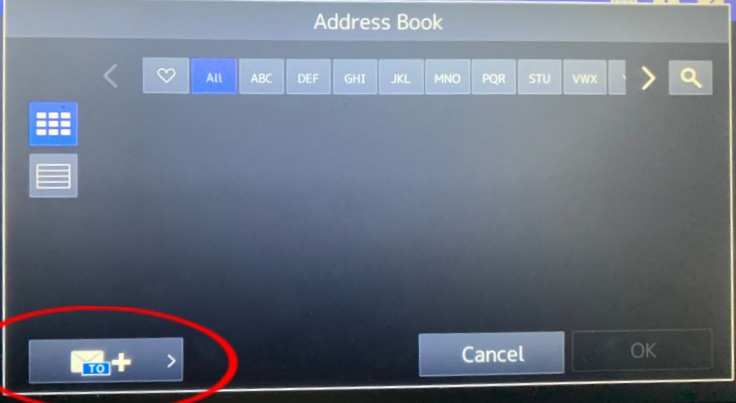
Select the envelope shaped button in the bottom left to add a new recipient.
Type in the email address of your intended recipient.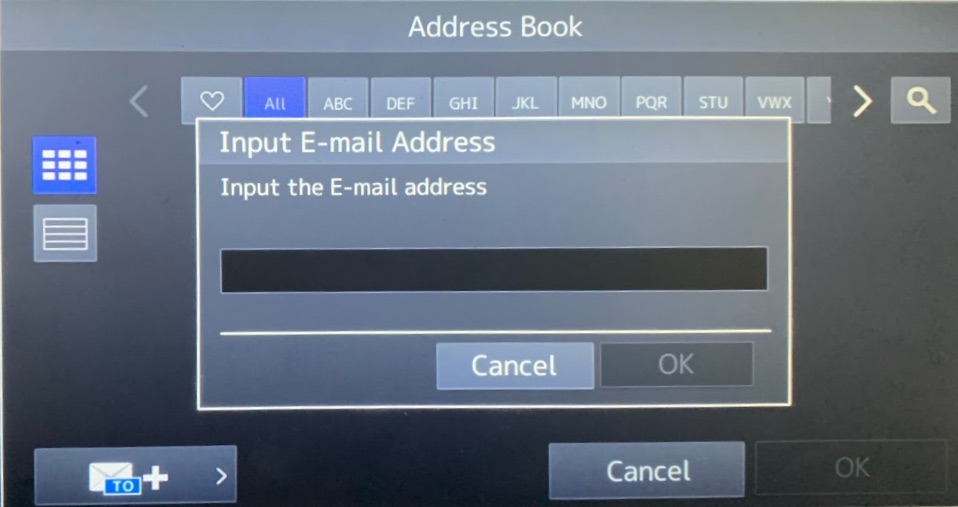
Press the OK Button.
Press the Start button 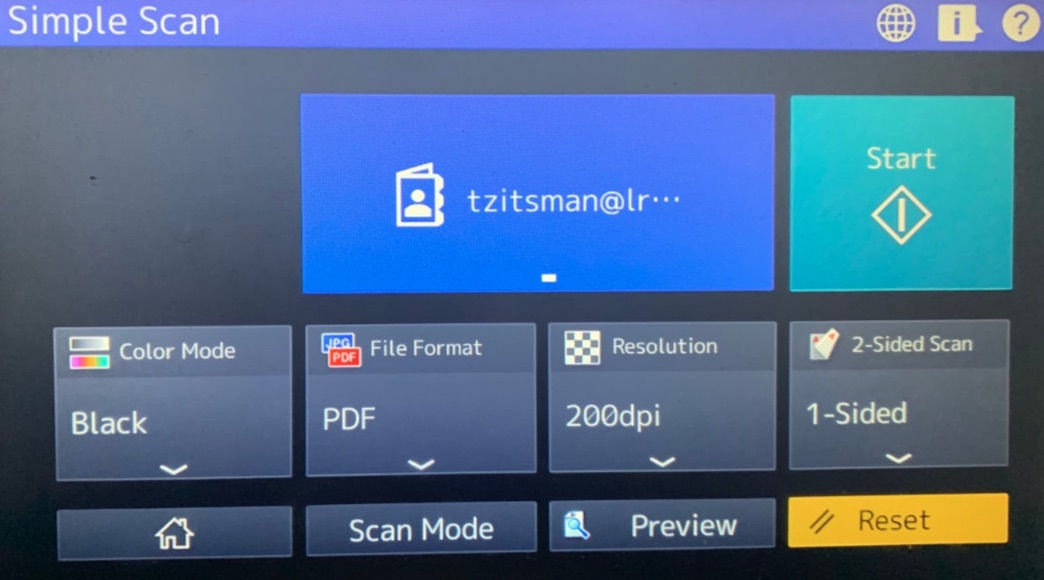
0 Comments