This document will guide you through the process of a creating a team and adding users via the website Remind. We do recommend that once you sign up and create a class, you download the mobile app, and encourage the students to do so as well.
This is not a strict requirement, and the app is not necessary to use the platform, but it does create a much smoother user experience.
Sign Up
To Set Up Remind go to Remind.com where you can get started.
Click the prominently featured “Sign Up” button and then click sign up with google
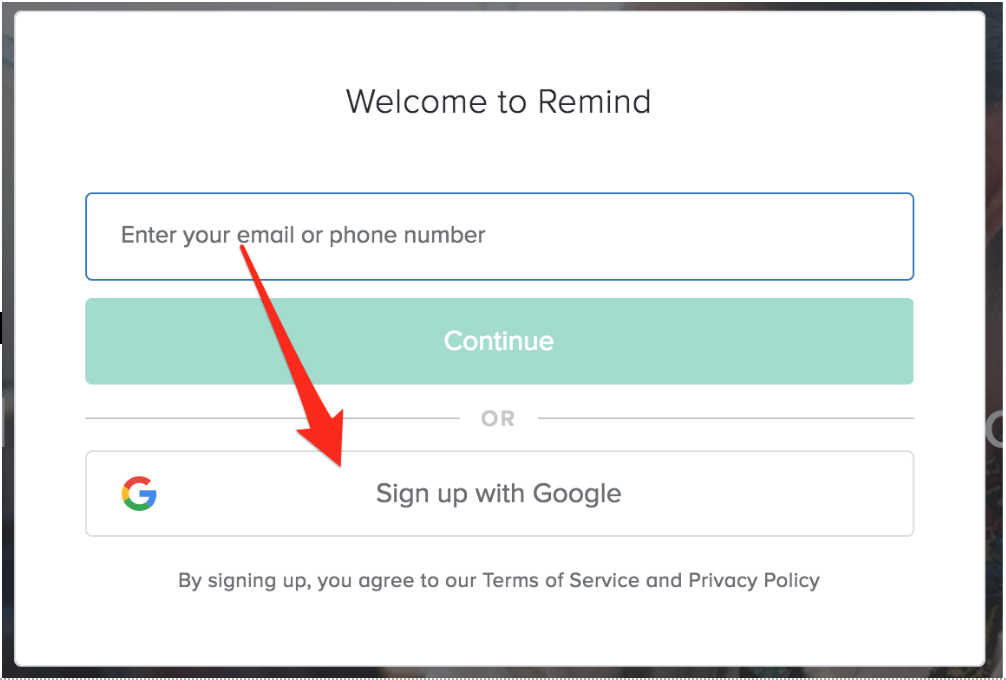
Use your LREI email and password to Register
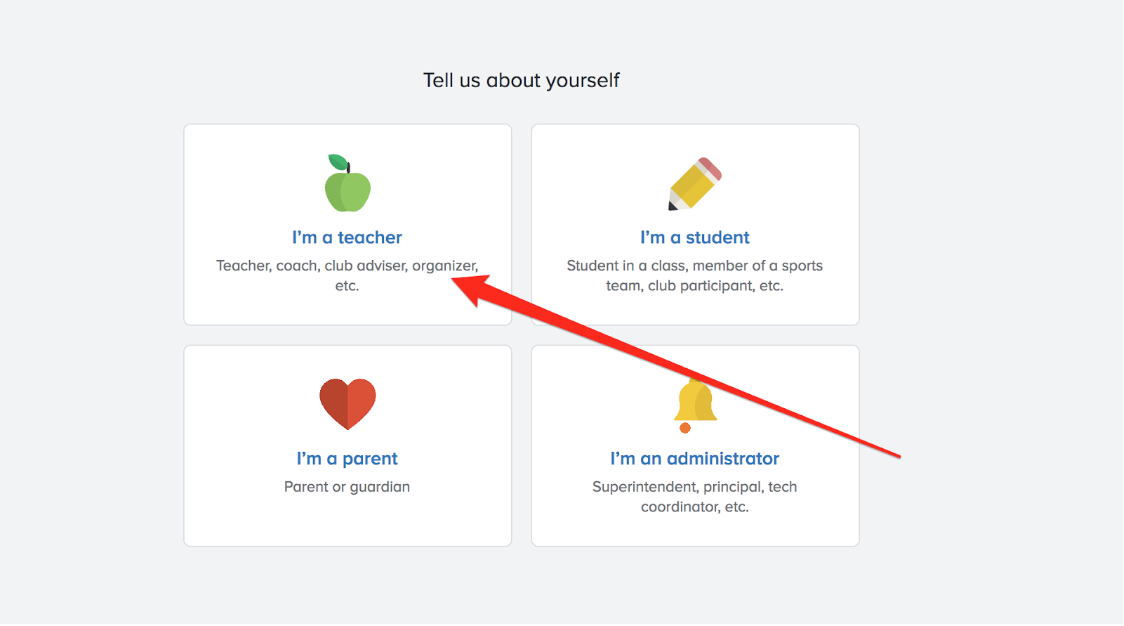
Then sign up as a teacher
You will then be prompted to “Add your Class.” If you are the first teacher or coach using Remindfor a class, please put the class name or team name you’d like. Ex: HS Robotics, Boys Soccer.
If another coach/teacher has already created the class, do not also create the class, as this will cause duplicates.
Once the class is added, you will be prompted to join or add your school. We are: Lrei. Once you have selected this, you will be ready to add students to your class/team.
Adding members to your class
Select the Add People button on your class page
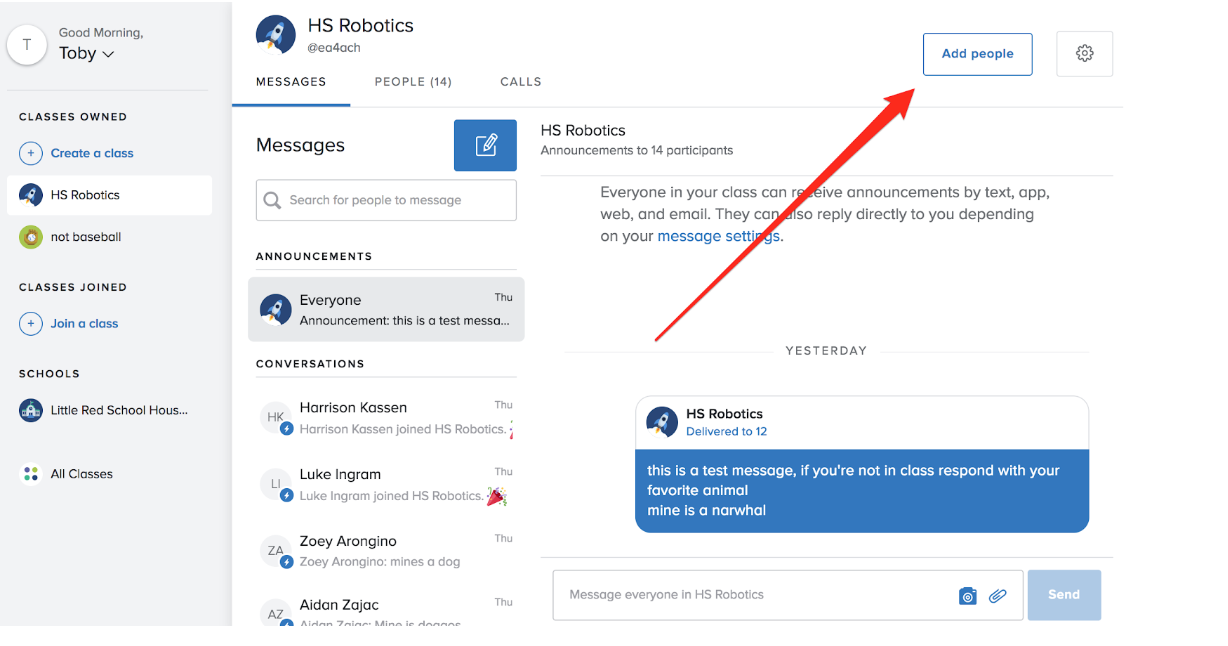
Then select share a link.
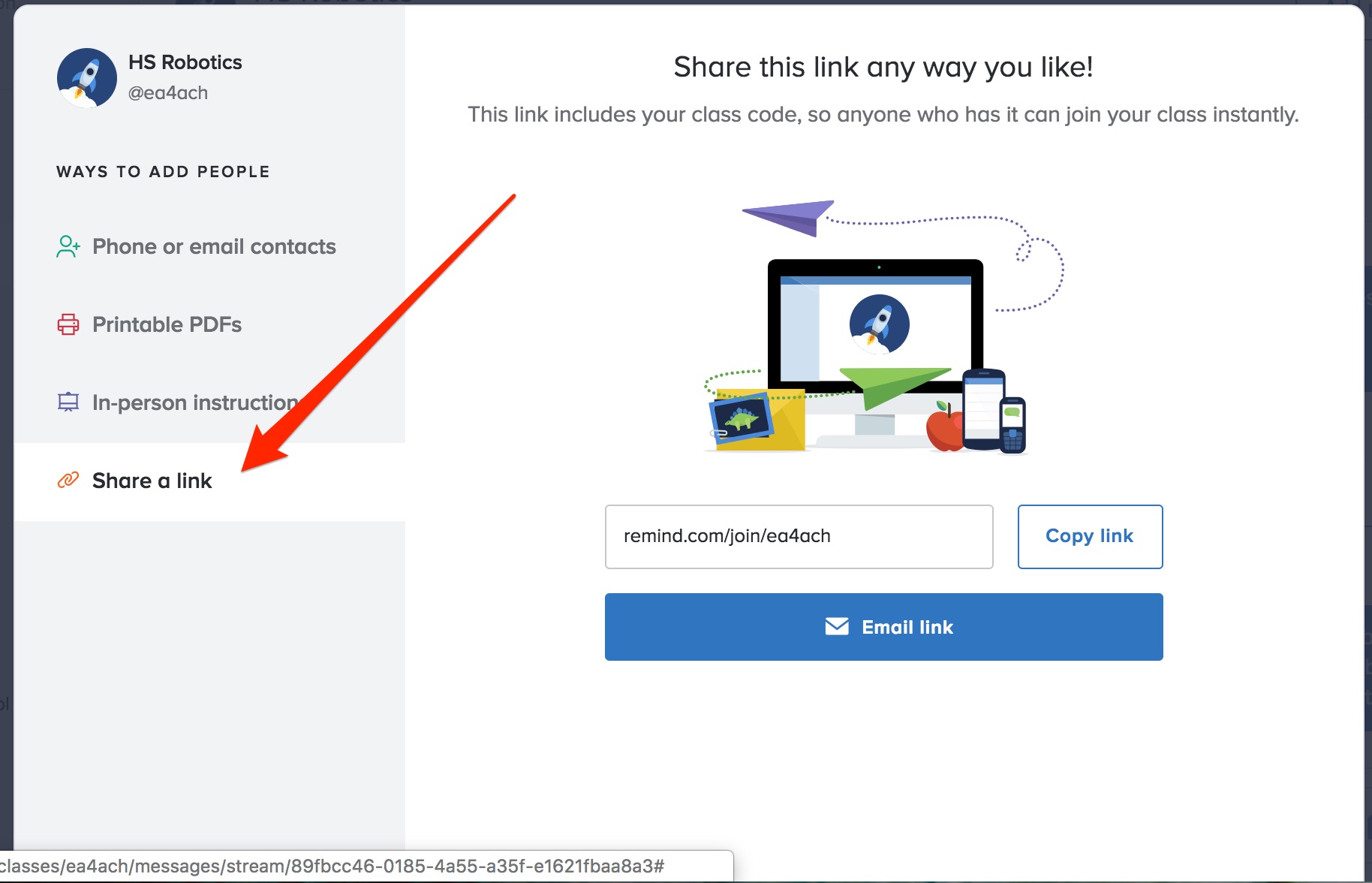
You can copy and paste the link given, and then send it as an email to the team/class. The students can then follow the link and sign up in a similar manner to you. You can also invite other coaches and teachers in this same manner.
0 Comments